
Court bookings and lessons
See member bookings and lessons together. The office can see which courts and coaches are already assigned.
Contakt Academy · For Clubs
Members book courts in Academy. Staff schedule lessons and check bookings against the club’s membership rules.
See member bookings and lessons together. The office can see which courts and coaches are already assigned.
Configured membership access and rates carry into court booking. The desk works from the member’s record.
See who paid and what the payment belongs to, alongside the household, membership or lesson.
Check how this scheduled lesson appears to staff and Sam’s parent.
Real Academy presentation, with fictional example data and adapted read-only lesson details.
Office
Staff assign a court and coach to the group’s lesson. Open the record to check its setup.
Saturday, 10 October 2026 · 13:00–14:00
Harbourline Racquet Centre · Court 3
Coach
Dani Ferreira sees the time and court for the lessons they teach on Saturday.
Parent
Sam’s parent checks when and where their child has the lesson.
Office tools for the fictional organization: wider schedule, booking, lesson lists and local drafts. These controls belong to staff.
01 / Saturday at Harbourline
Open a lesson or booking from Harbourline’s schedule. Choose an available slot to try creating a booking.
Open a lesson or booking to see the detail.
02 / A whole week on court
Lessons and member bookings share the same courts. Choose a day in this fictional week; open a booking, or find a free slot on the schedule above.
Counts from this fictional demo week, including scheduled unpublished lessons.
03 / From an idea to a class
Keep unfinished classes in drafts. Scheduled classes can remain unpublished while staff finish their setup. Open the example to try publishing.
At clubSaturday · 09:00–10:00 · Joppe Wieringa
At clubTuesday · 17:00–18:00 · Dani Ferreira
At clubThursday · 17:00–18:00 · Naomi Aksoy
At clubSaturday · 10:00–11:00 · Rosa Terlouw
At clubSaturday · 11:00–12:00 · Lieke Visser
At clubSaturday · 10:00–11:00 · Naomi Aksoy
At clubSaturday · 12:00–13:00 · Ivar Broekman
At clubMonday · 08:30–10:00 · Naomi Aksoy
Account invitations
Choose the account role when inviting someone. Members get household access; staff permissions depend on their role.
Member account access
Use your account to check your lessons and court bookings. The club’s membership rules determine your booking access.
The team at Harbourline
Illustrative copy for the implemented member, coach and staff invitation types. No account or invitation is created.
At clubsat · 13:00–14:00 · Dani Ferreira
More Academy tools
Open the example records to try each feature. The data is fictional; actions in these examples never send messages or move money.
Court bookings
A member booking, a lesson and a rental at the desk all use the same court schedule. Your club’s booking rules decide which times a member can reserve.
Lieke Visser has Court 4 from 09:00 to 10:00, playing with Rosa Terlouw. Open that booking, then investigate the shared day.
Lieke Visser · Rosa Terlouw
2026-10-10 · 09:00–10:00
Dani Ferreira · Court 3
13:00–14:00
A booking and a lesson from the same fictional Saturday.
Store & till
On Complete, when the store and till are enabled, the desk can sell club products and keep the sale with its payment record. A configured shop can also have a public QR entrance.
A player picks up a grip at the desk. Open the sample product and its receipt to see the item, quantity and payment method together.
GRIP-01 · 12 in stock
€7.50
WATER-01 · 24 in stock
€2.00
Sample products and receipt. Store and till are available on Complete when enabled; online checkout is enabled separately.
Locations & courts
Keep your operated locations, their courts and the lessons using them connected. Choose a location to see the teaching records behind it.
Saturday green ball meets at Harbourline Racquet Centre, Court 3. Choose a site below and open one of its lessons.
Sam’s Saturday green ball · Court 3 · 13:00–14:00
At clubsat · 13:00–14:00 · Dani Ferreira
At clubsat · 09:00–10:00 · Joppe Wieringa
Locations and courts keep their own records; the lesson carries its assigned place.
Money & payments
Follow incoming lesson and booking payments with the person and activity they belong to. The desk and office can investigate the same payment record.
Alex Morgan pays the sample fee for Sam’s Saturday green ball. Open the example to see payer, learner, class and amount together.
Payer: Alex Morgan
€195.00
An incoming payment example, with the family and class kept together.
Coach timetable & hours
A coach sees their assigned lessons and courts. Their hours reading comes from the sessions in the timetable, so the teaching plan and hours stay connected.
Dani Ferreira’s week contains 4 scheduled sessions. Open the hours example, or investigate the teaching schedule.
Hours calculated from assigned sessions. “Delivered” means the session end time has passed.
Public spaces
A public club page brings its identity, locations and published offerings together. Visitors see only the entrances the club enables, such as memberships, trials, court booking or contact.
A visitor starts at Harbourline’s fictional club page, then chooses from its configured public entrances. Optional doors depend on the club’s settings and published records.
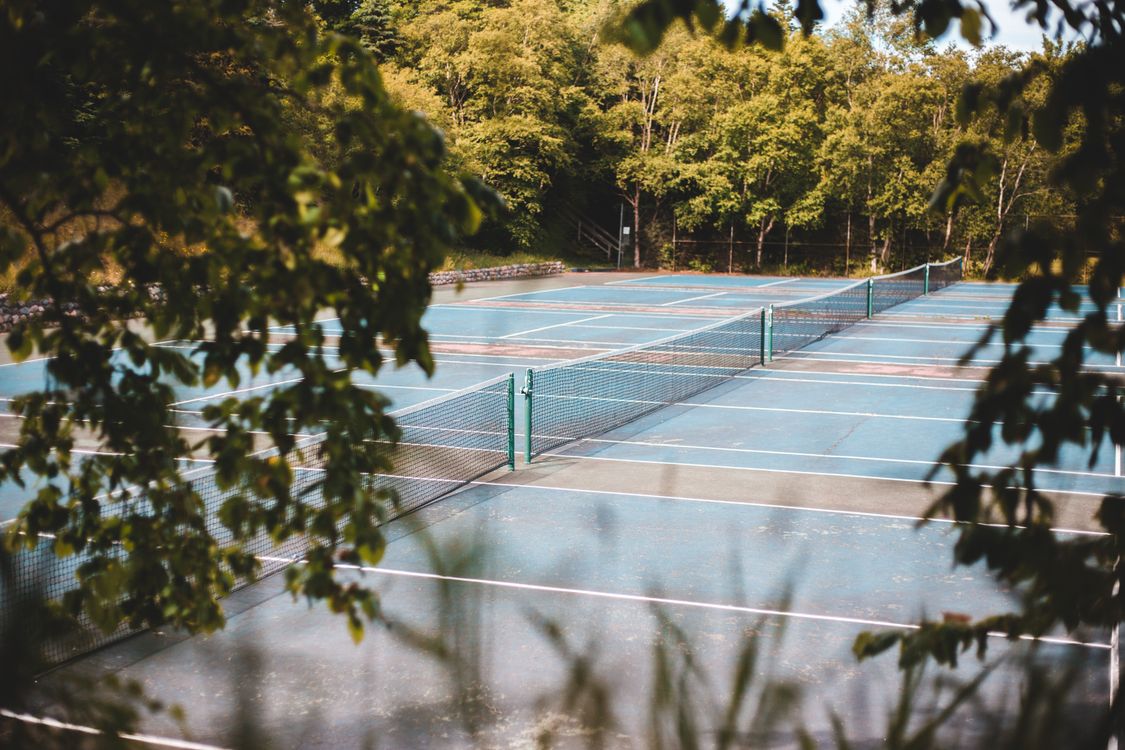 Photo: Erik Mclean / Pexels
THE CLUB · THIS WEEK
Illustrative entrances only. Optional doors appear when enabled; published records decide what is shown.
Harbourline · illustrative public page, not a live tenant. No account, message or booking is created here.
Try Academy for free
Open a ready-made club as Admin, Coach or Player / parent, or build one with the setup wizard. Your private demo lasts up to 30 minutes. It uses fictional data and simulated payments; messages stay inside it.
Getting started
Academy Start is not open yet. When it opens, a tennis club in the Netherlands with one location can create its own workspace.
Managed gives your organization a named Contakt contact for monthly product help.
A person at Contakt reads every request and replies by email.